Analysis playbooks
Save a set of questions and analysis steps to use again. For each new document or review, examine the results and references before bringing the findings into your work.
Inside Zoran
Knowledge, discussion and decision-making share a workspace. Start with the part you need; bring the others in when they help you understand the question.
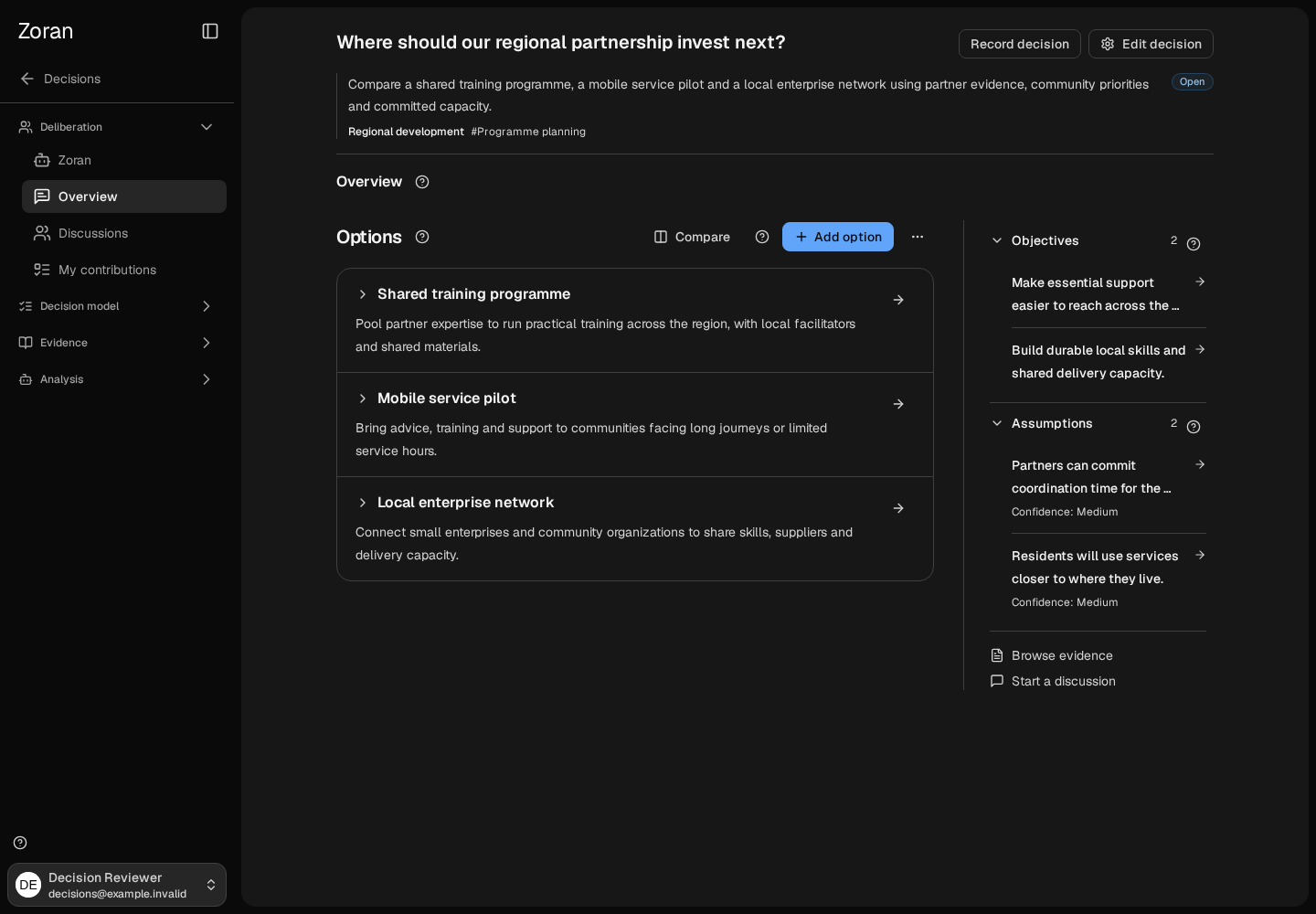
A regional partnership compares three investments. Objectives and assumptions stay beside the options, where people can examine them.
Inside the decision workspace.

Scroll to inspect the interface, or open the full capture.
Team Knowledge
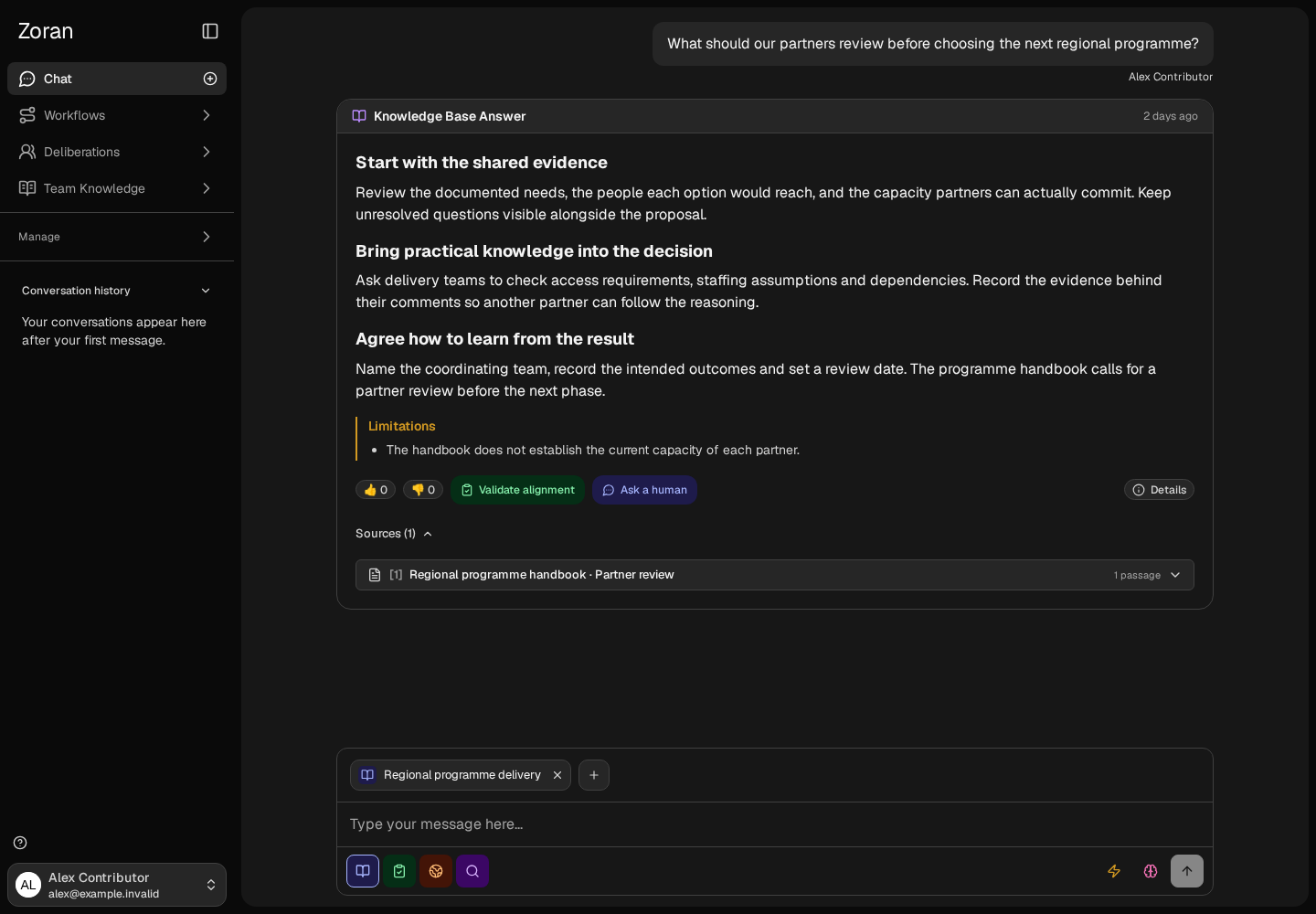
Choose the knowledge bases relevant to your question. Zoran retrieves material from those sources and gives you references to inspect. When the material falls short, people can supply what it is missing.
Send a saved question and answer for human review. An assigned colleague can respond. Share the useful guidance without exposing the whole private chat.
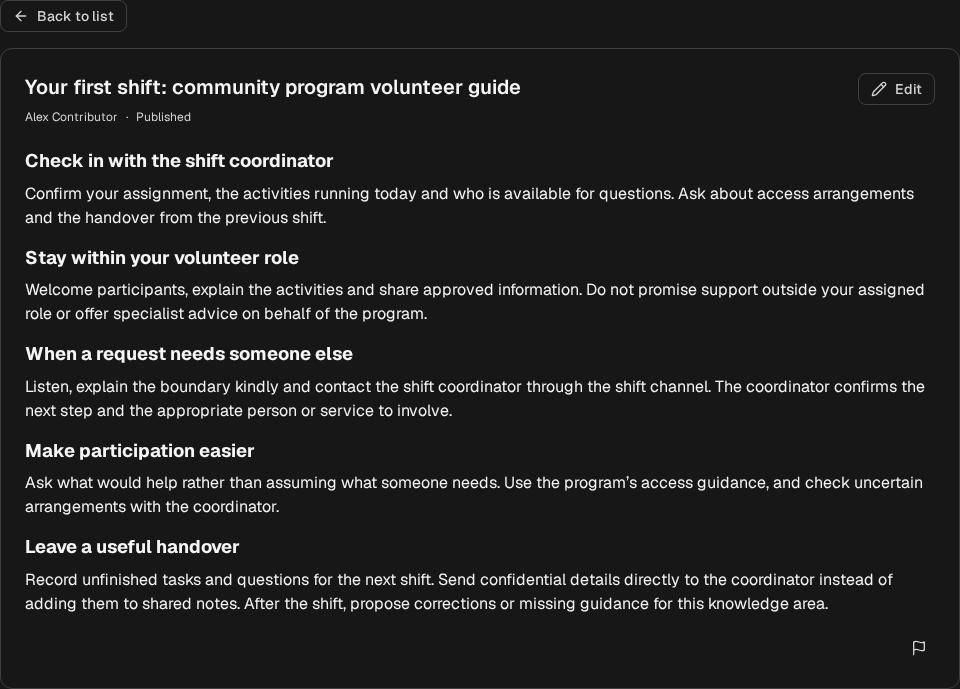
Contributors can write an entry or turn a human answer into a draft. Publishing makes the entry readable to people with access to that knowledge base; background indexing makes it available for later retrieval.
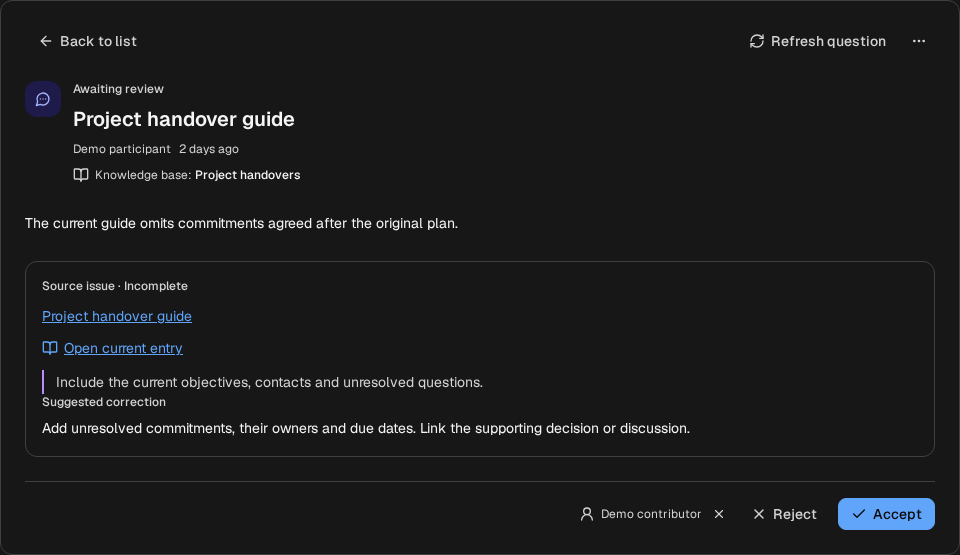
Flag a source as out of date, incomplete or incorrect. A reviewer accepts or rejects the report. Editing and publishing the source remain separate, explicit actions.
Answers and source references

Scroll to inspect the interface, or open the full capture.
Published team guidance

Scroll to inspect the interface, or open the full capture.
A colleague’s answer
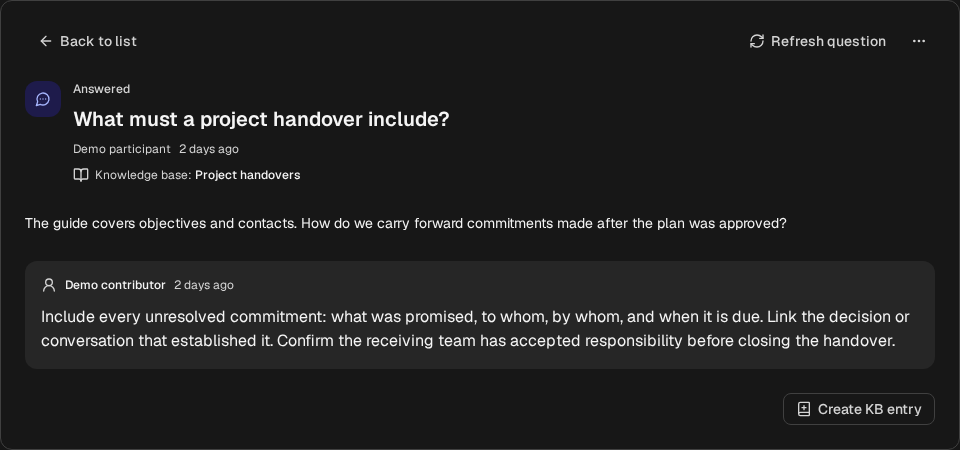
Scroll to inspect the interface, or open the full capture.
Create and publish guidance
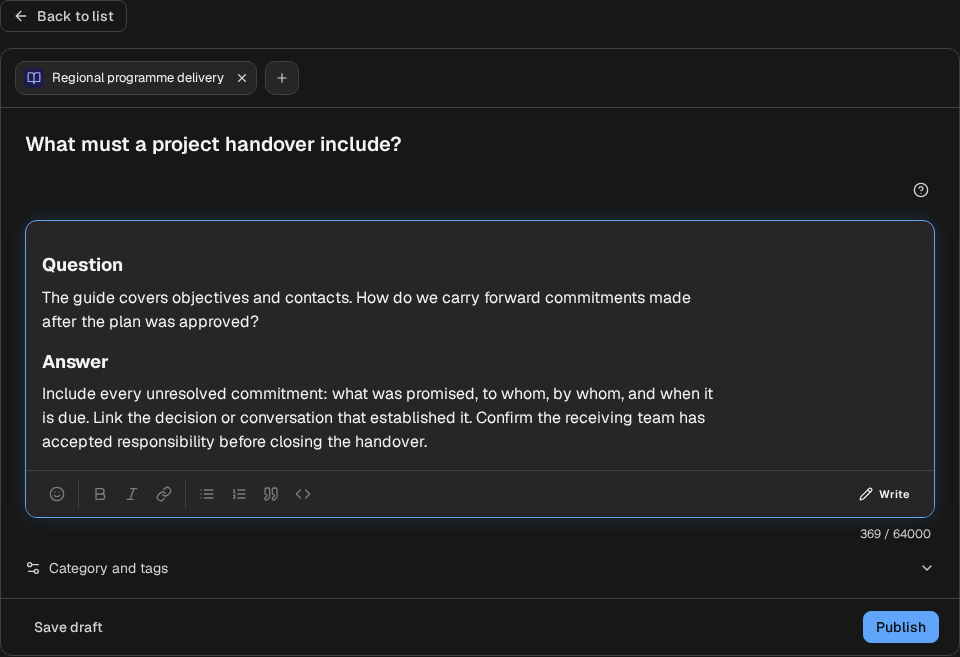
Scroll to inspect the interface, or open the full capture.
Review a reported source
Scroll to inspect the interface, or open the full capture.
Discussions & consultation
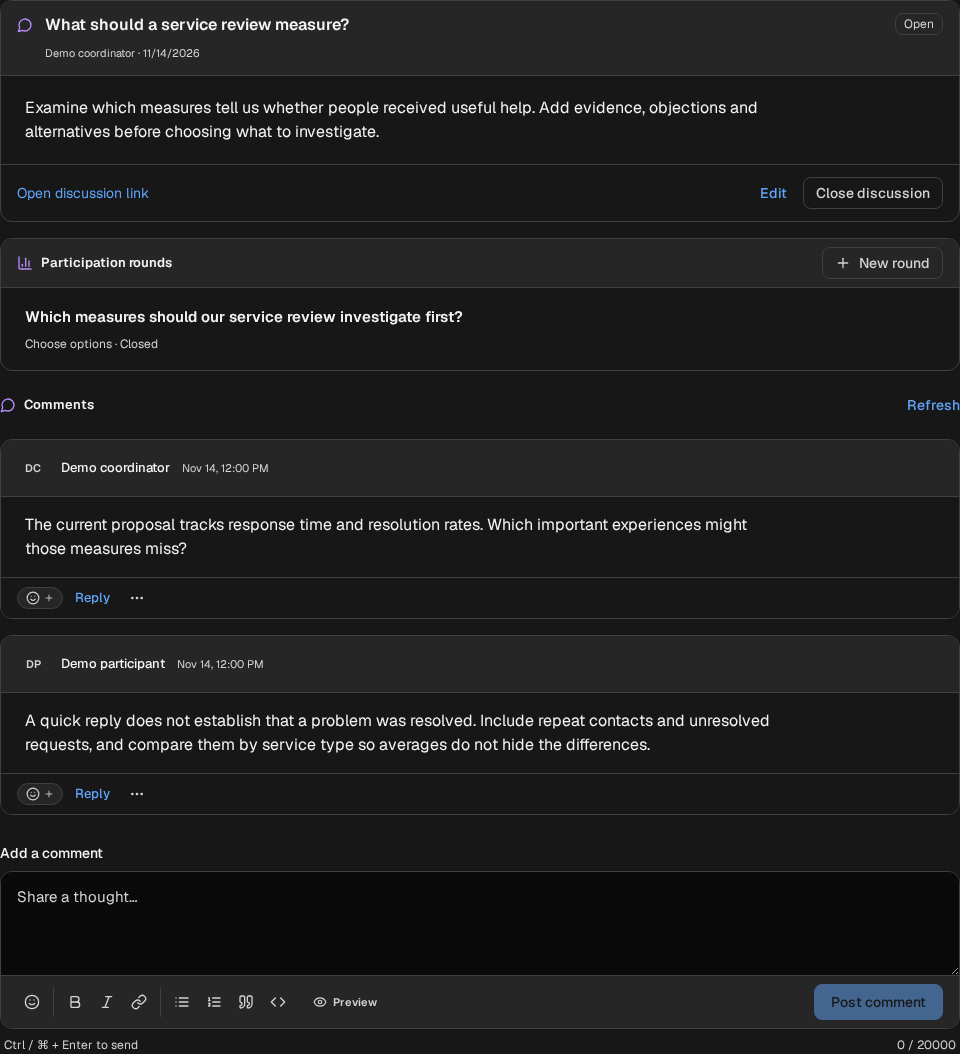
Open a discussion for a question that deserves more perspectives. Add comments, evidence and alternatives. A participation round can gather views inside the group or invite a separate audience by email.
Develop the idea through contributions and replies. In a decision workspace, ask Zoran to investigate a question, then bring the useful findings into the conversation.
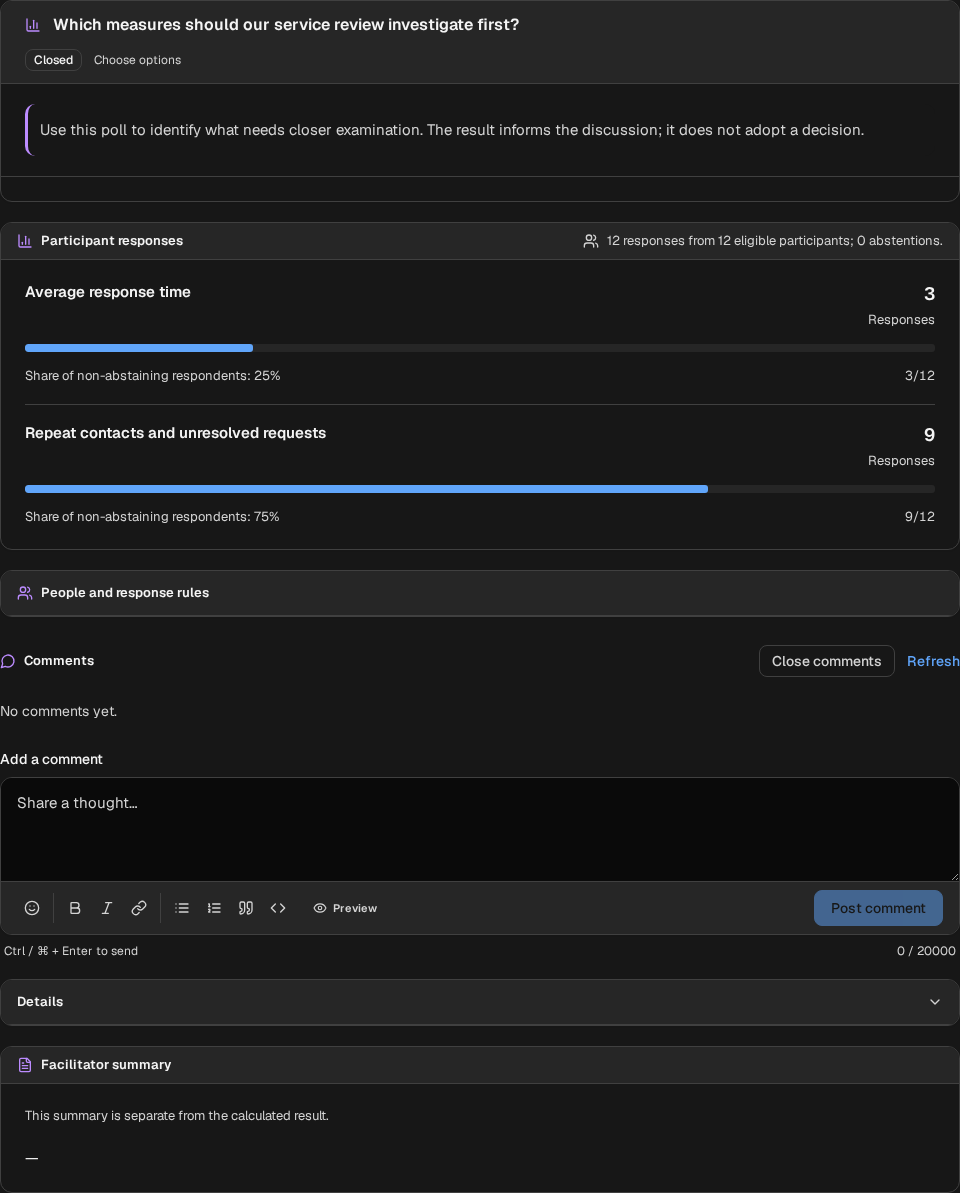
Create a question and response options for participants. Use the results to understand their views and decide what needs further discussion.
Add recipients and open the round to send individual email invitations. Guests respond without an account or access to your workspace. Their feedback stays separate from internal voting.
Contributions and replies
Scroll to inspect the interface, or open the full capture.
Internal poll results
Scroll to inspect the interface, or open the full capture.
External participation
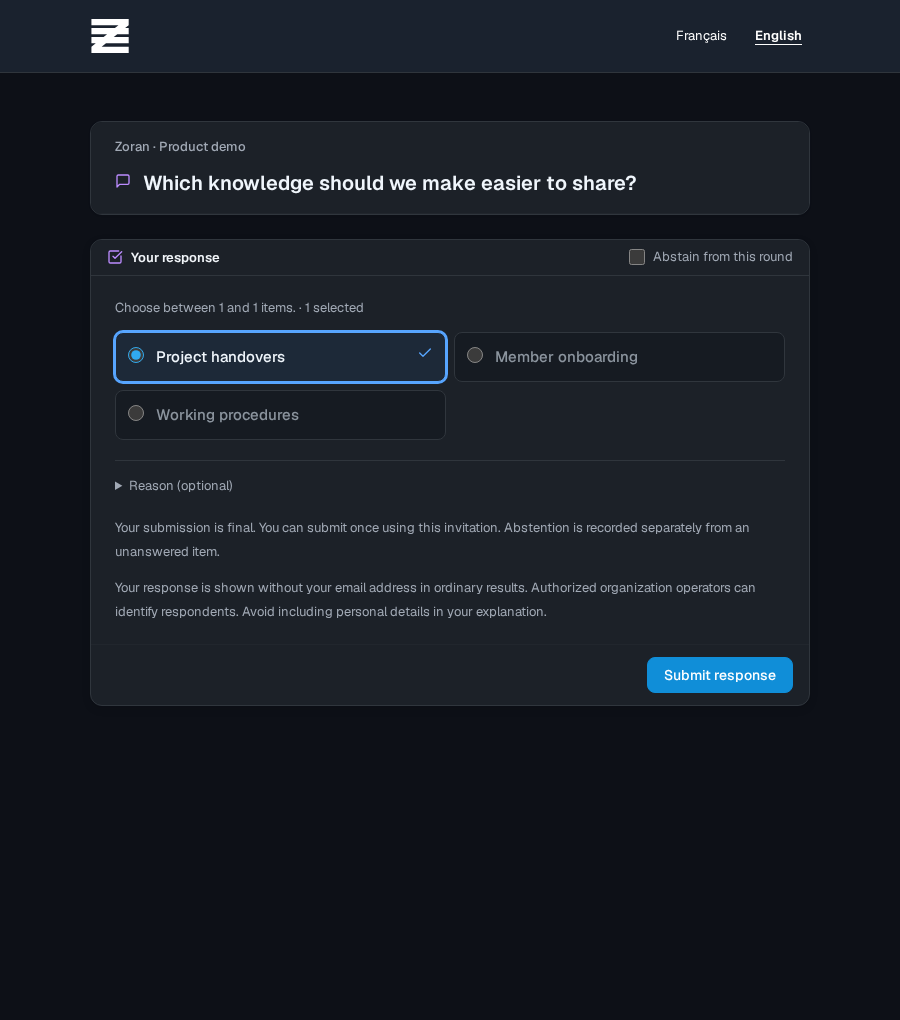
Recipients open their individual link, select an option and can explain their response. They do not need a workspace account.
The actual participant interface
Manage email invitations
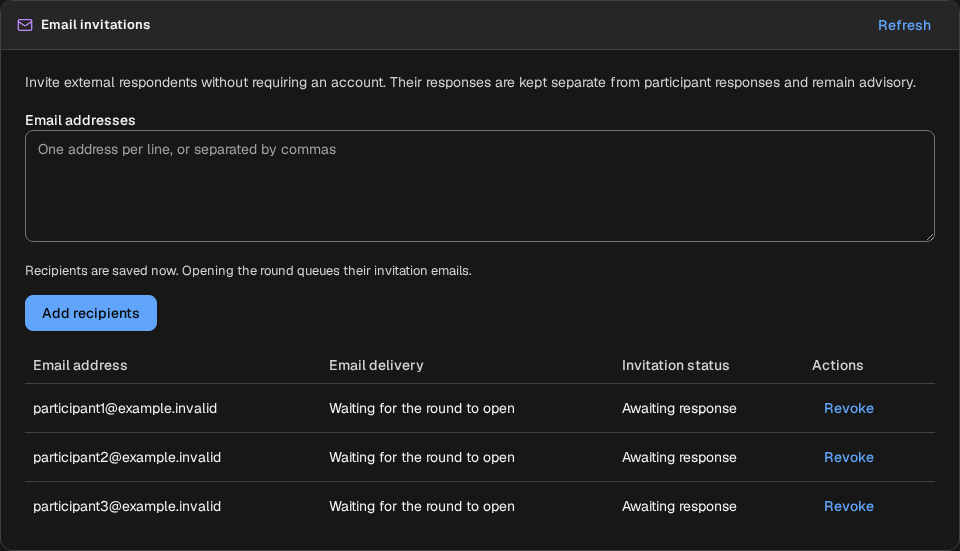
Scroll to inspect the interface, or open the full capture.
External consultation results
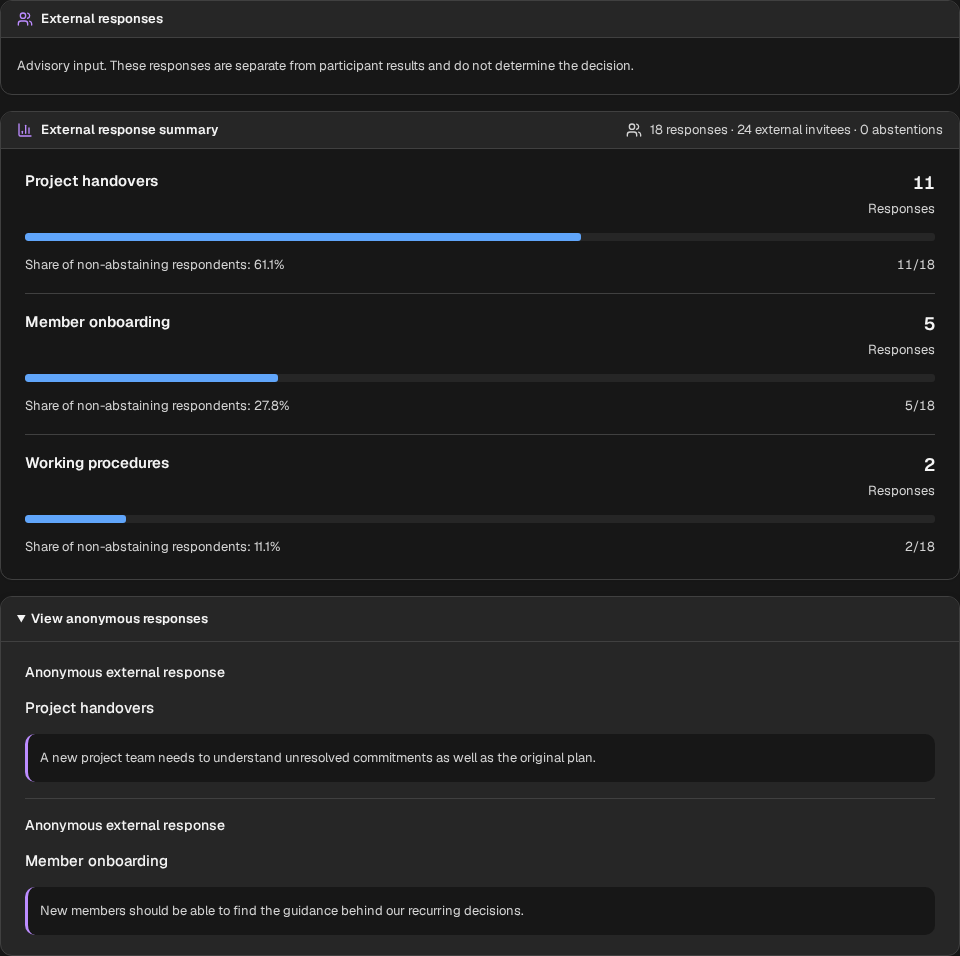
Scroll to inspect the interface, or open the full capture.
Decision workspace
Give an important choice its own space. Start with the question, then add the structure that helps people examine it. The group’s process determines who contributes and who can record the outcome.
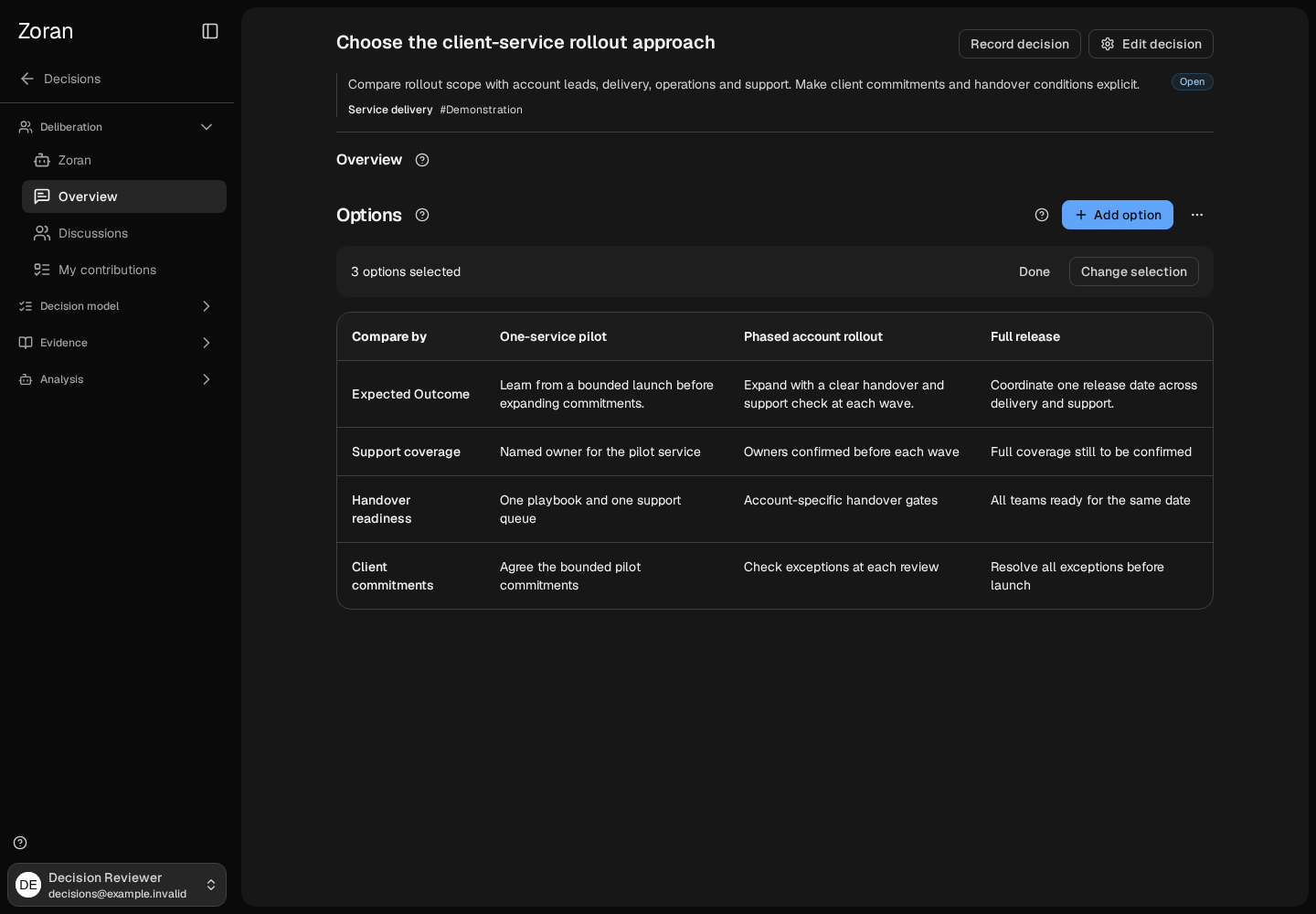
Compare options

Scroll to inspect the interface, or open the full capture.
AI analysis methods

Scroll to inspect the interface, or open the full capture.
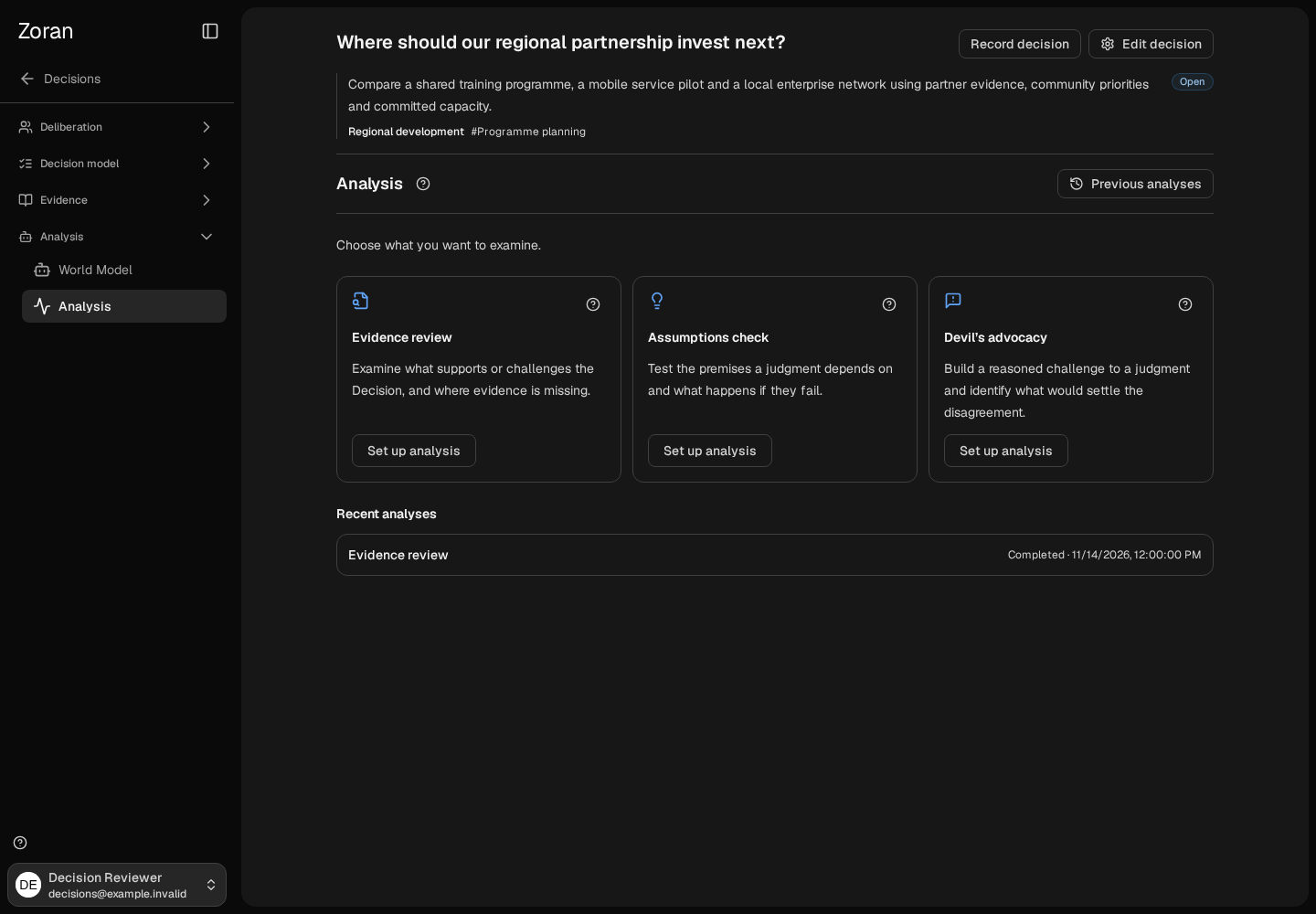
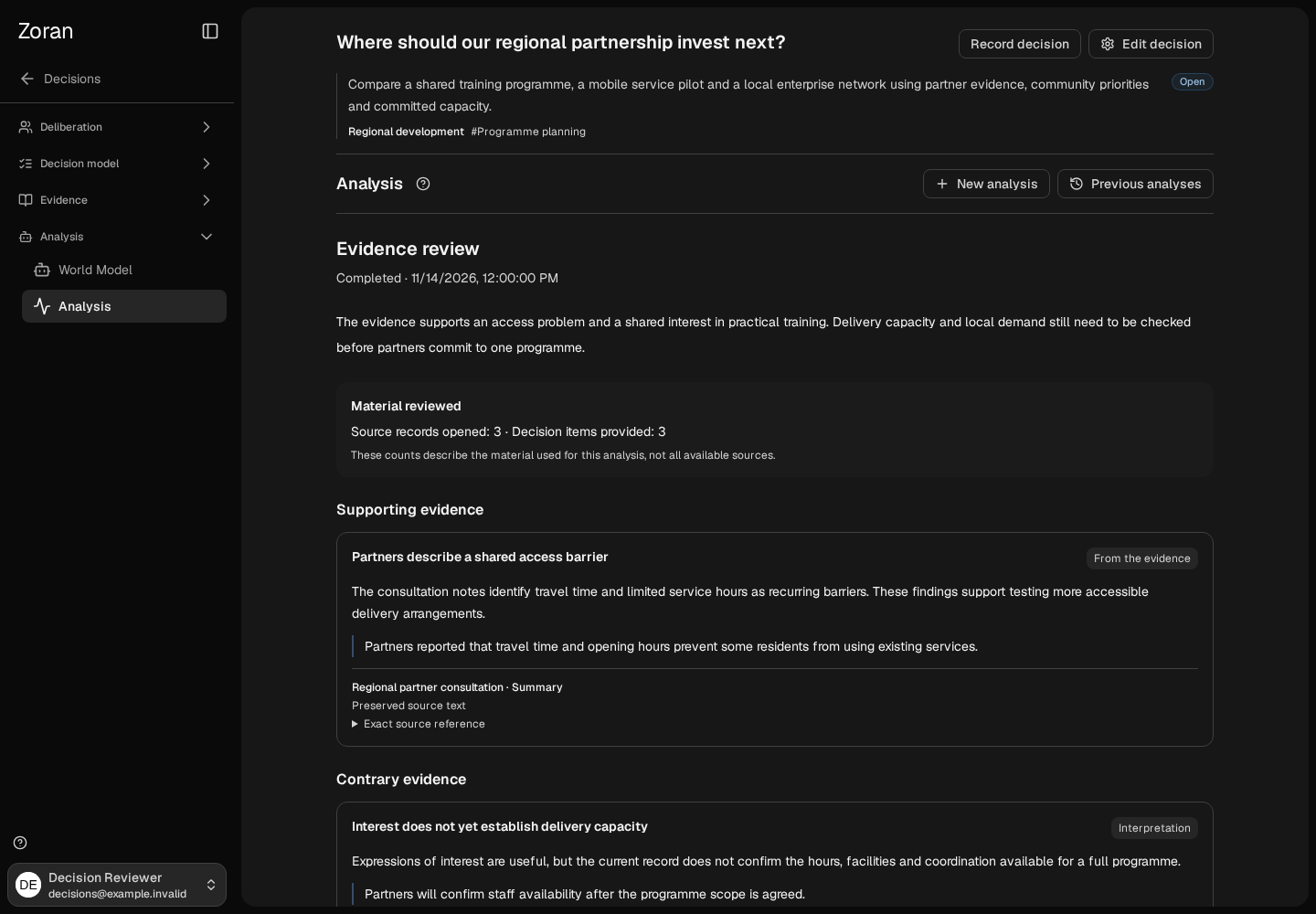
Evidence review

Scroll to inspect the interface, or open the full capture.
Set objectives and criteria. Write down assumptions, constraints and possible impacts. Attach evidence so people can examine the basis of a proposal.
Develop alternatives and compare them. Use Zoran to examine evidence, challenge an assumption or explore another argument. Record the chosen option and the reasons; AI advice and poll results are not adopted decisions.
An Outcome review records what happened, findings about assumptions, lessons and next actions. The original outcome and its reasoning remain available.
The recorded decision
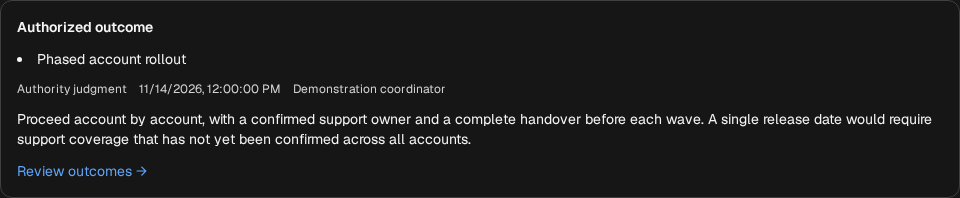
Scroll to inspect the interface, or open the full capture.
Review what happened
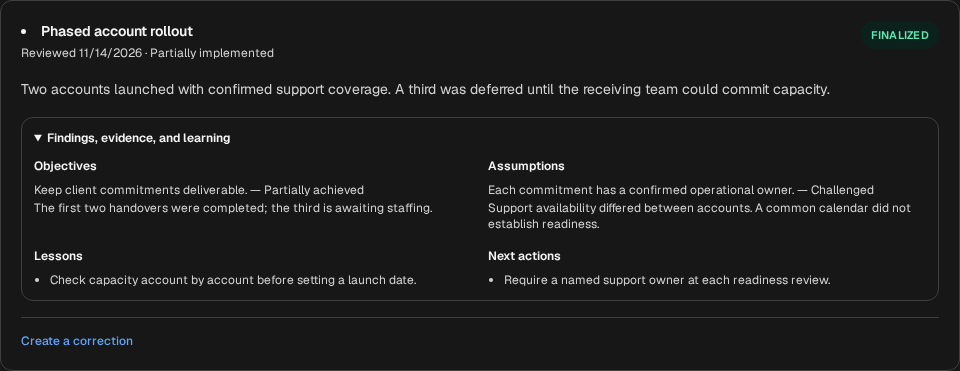
Scroll to inspect the interface, or open the full capture.
Resources & pledges
Bring practical support into the comparison. Participants can offer funding or time toward a decision or option, where enabled. The group sees aggregate support alongside what a proposal needs.
Compare proposed costs with the support people are willing to pledge.
Understand the hours people are willing to contribute before planning around them.
Individual offers stay private to their owner; the group sees aggregates. Pledges are informational: Zoran does not collect payments or manage delivery.
A published guide can become a reference for the next question. A consultation can change an option. An outcome review can prompt new guidance. People make those connections; the record lets them explain why.
Tools for the work around the question
Save a set of questions and analysis steps to use again. For each new document or review, examine the results and references before bringing the findings into your work.
Use knowledge bases to draft replies or configure automatic responses. Scope email rules, classification and supported workflow triggers around the recurring work you want to handle.
Configure supported providers and models, including compatible self-hosted endpoints. Agree on connections, credentials and data requirements for your setup.
Make selected reference material available through Slack or a website assistant. Review supported connections and rollout requirements as part of your pilot.
We’ll explore how the workspace could help your group, agree the scope and plan a pilot around the people who will use it.
Discuss your pilot