AI · Shared knowledge · Deliberation
Power your
collective intelligence.
Bring your people, knowledge and AI into one shared workspace. Explore ideas, examine evidence, challenge assumptions and make decisions together.
More knowledge shared. More perspectives considered. More possibilities within reach.
A shared workspace for important decisions

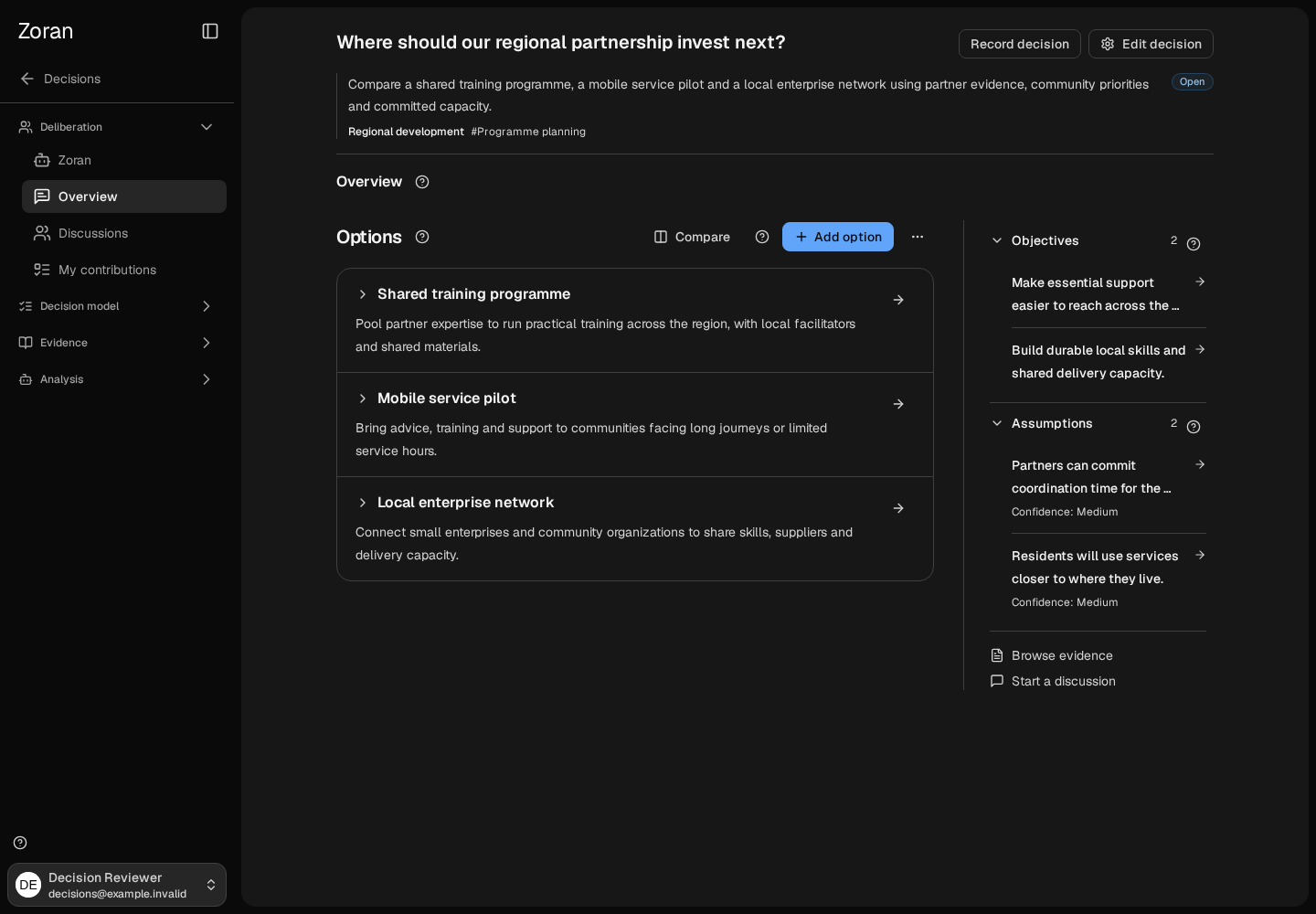
Scroll to explore the interface
More capable together
What your people know should shape what your group can do.
Zoran brings knowledge, experience, evidence and competing ideas into the same conversation. With more people able to contribute and examine the reasoning, your group can explore possibilities it would otherwise miss—and act on a fuller understanding.
01 / Team Knowledge
Shared knowledge that grows with your people.
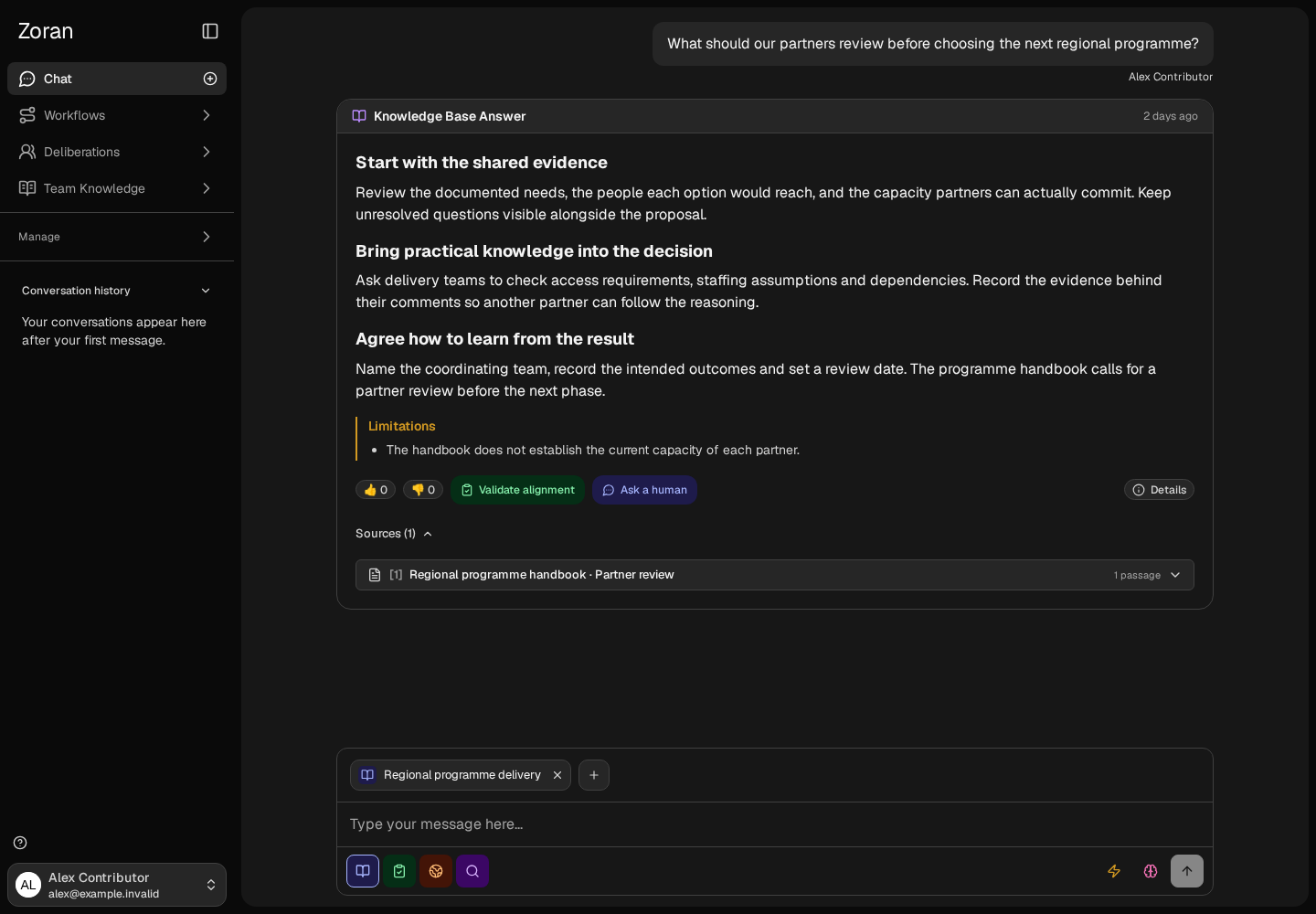
Give people a place to find answers and contribute what they know. Build knowledge bases around your work, ask AI about selected sources, and keep useful guidance available as your team changes.
AI answers & sources

Scroll to explore the interface
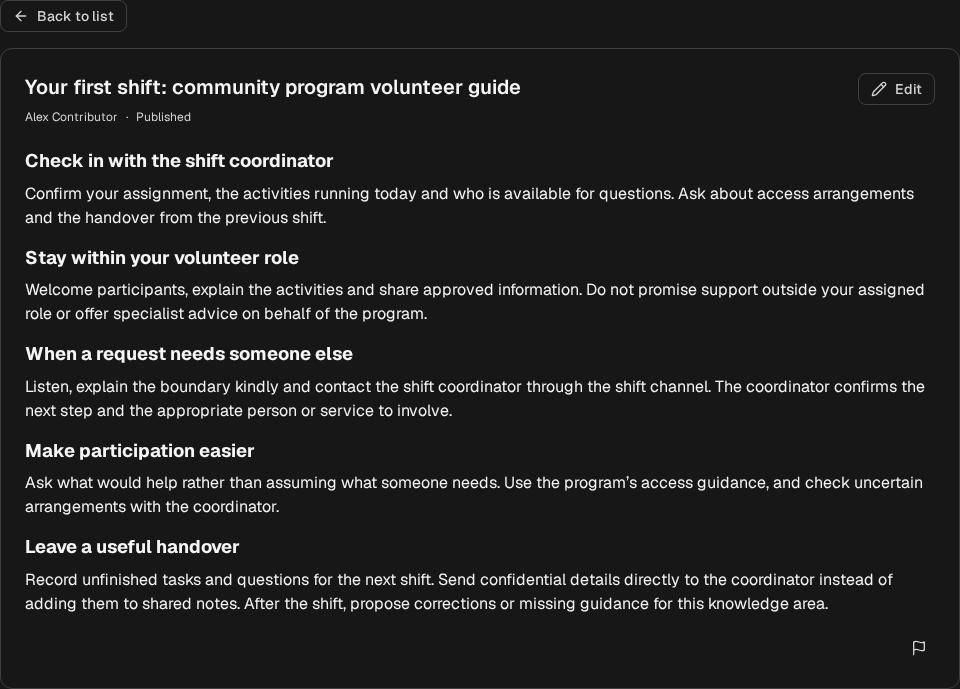
Published contributions

Scroll to explore the interface
Choose the sources. Examine the answer.
Select the knowledge bases relevant to your question. AI retrieves from that material, with references you can open and check.
Bring practical experience into the knowledge base.
Ask a colleague when an answer needs more context. Create and publish guidance, with questions and human answers available to the people who can access them.
Keep shared guidance open to correction.
Report outdated, incomplete or incorrect sources. Review the issue, update the material and publish the correction for others to use.
02 / Deliberation & AI
Give important ideas more than one perspective.
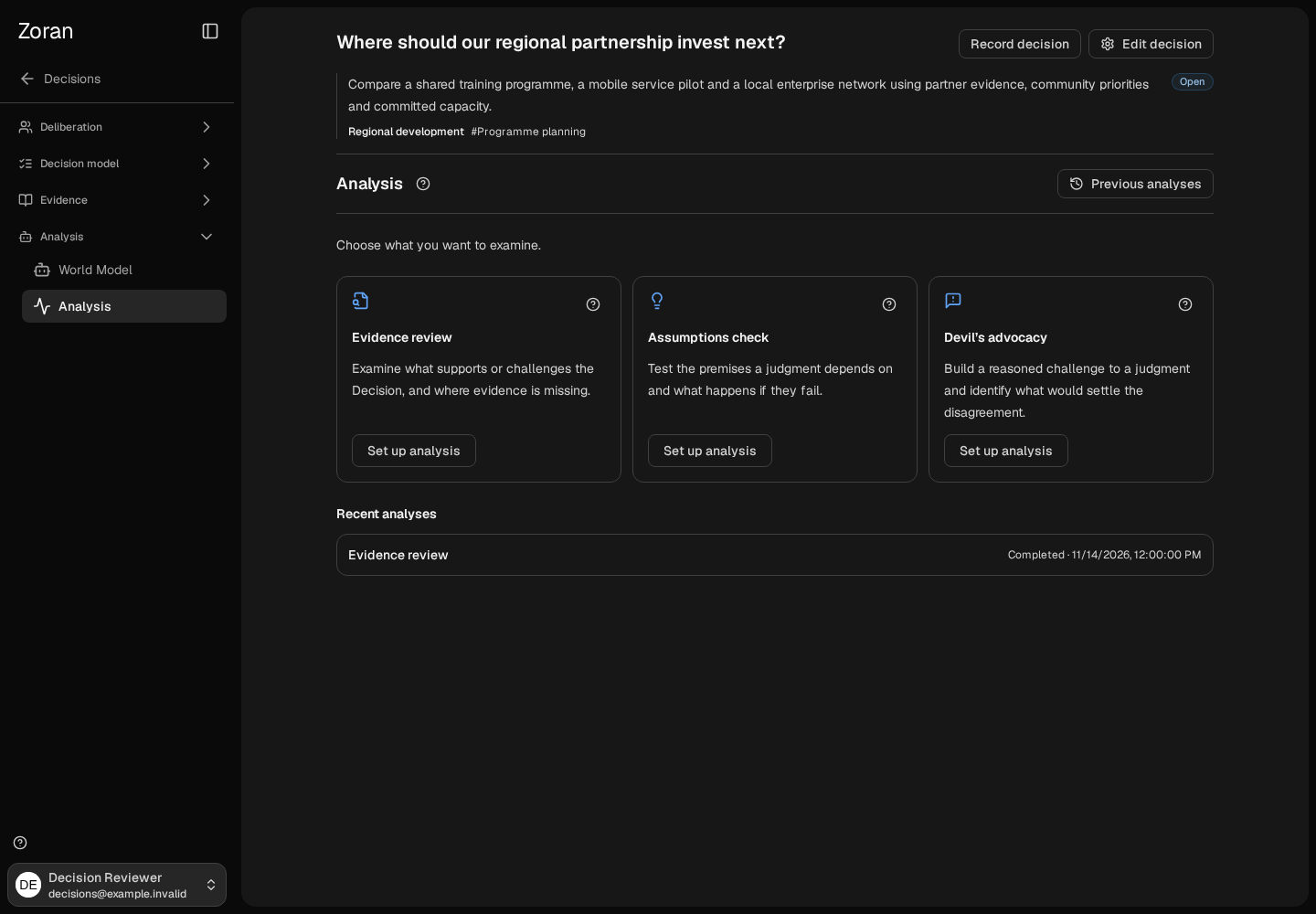
Develop proposals through discussion, contributions and AI-assisted inquiry. Examine the evidence, test the assumptions and make room for alternatives before settling on a direction.
Choose an analysis

Scroll to explore the interface
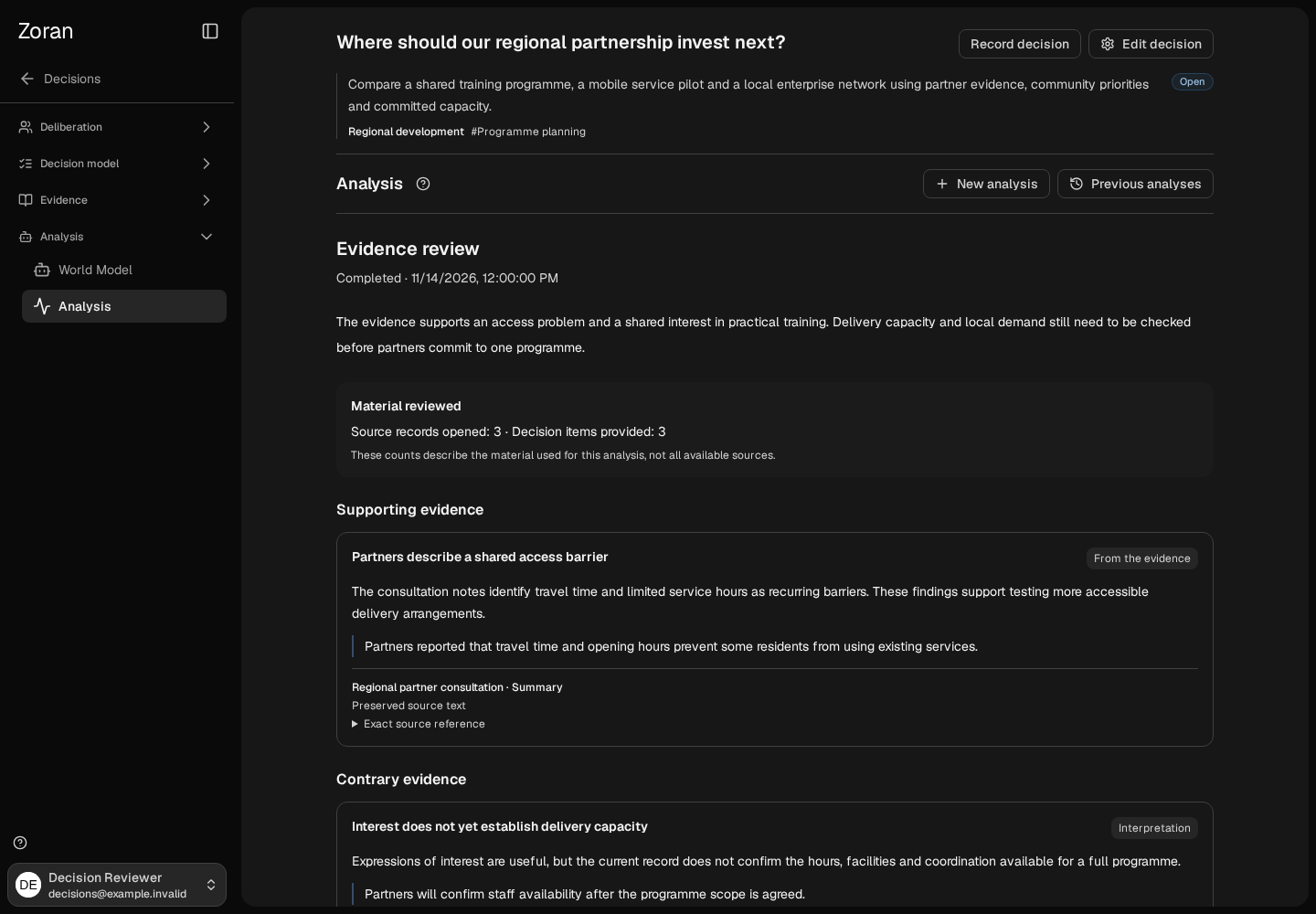
Examine the findings

Scroll to explore the interface
Examine the evidence
Review what supports a proposal, what challenges it and where information is missing. Follow the source references and examine the interpretation.
Test the assumptions
Use an assumptions check to examine the premises a judgment depends on and what could change if they fail.
Explore the opposing case
Use devil’s advocacy to develop a reasoned challenge. Bring the findings back to your group’s discussion.
Participation, inside and outside your team
Bring more people into the discussion.
Open a discussion for questions, objections and alternatives. Use internal polls to understand where your group stands, and external consultations to hear from the people affected by its work.
Create the consultation
Set the question and response options. Add the people you want to hear from.
Send individual invitations
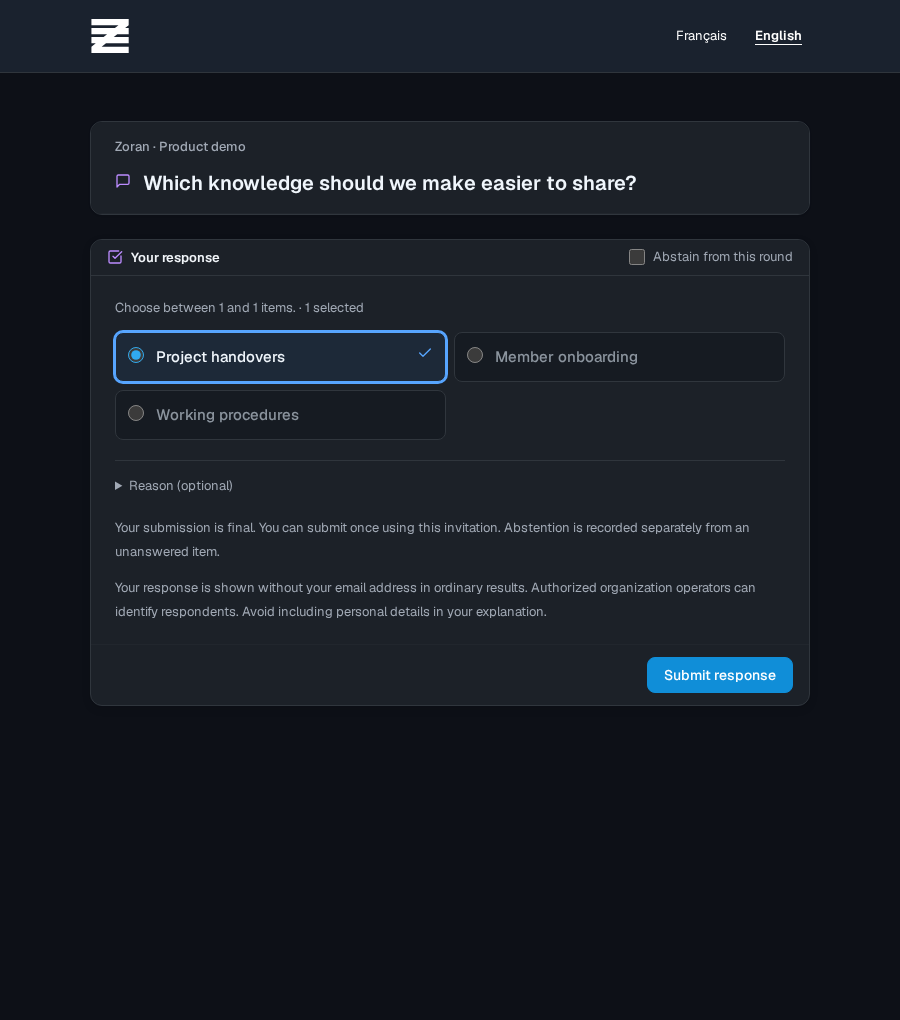
Each person receives an email link and can respond without a workspace account.
Consider the responses
Review the choices and optional explanations. External feedback stays separate from internal voting and the recorded decision.
What an invited participant sees
03 / Decisions & continuity
Keep the reasoning behind the decision.
Give important choices a structure people can examine. Compare the options, understand the trade-offs and retain the reasoning your group will need when the question comes up again.
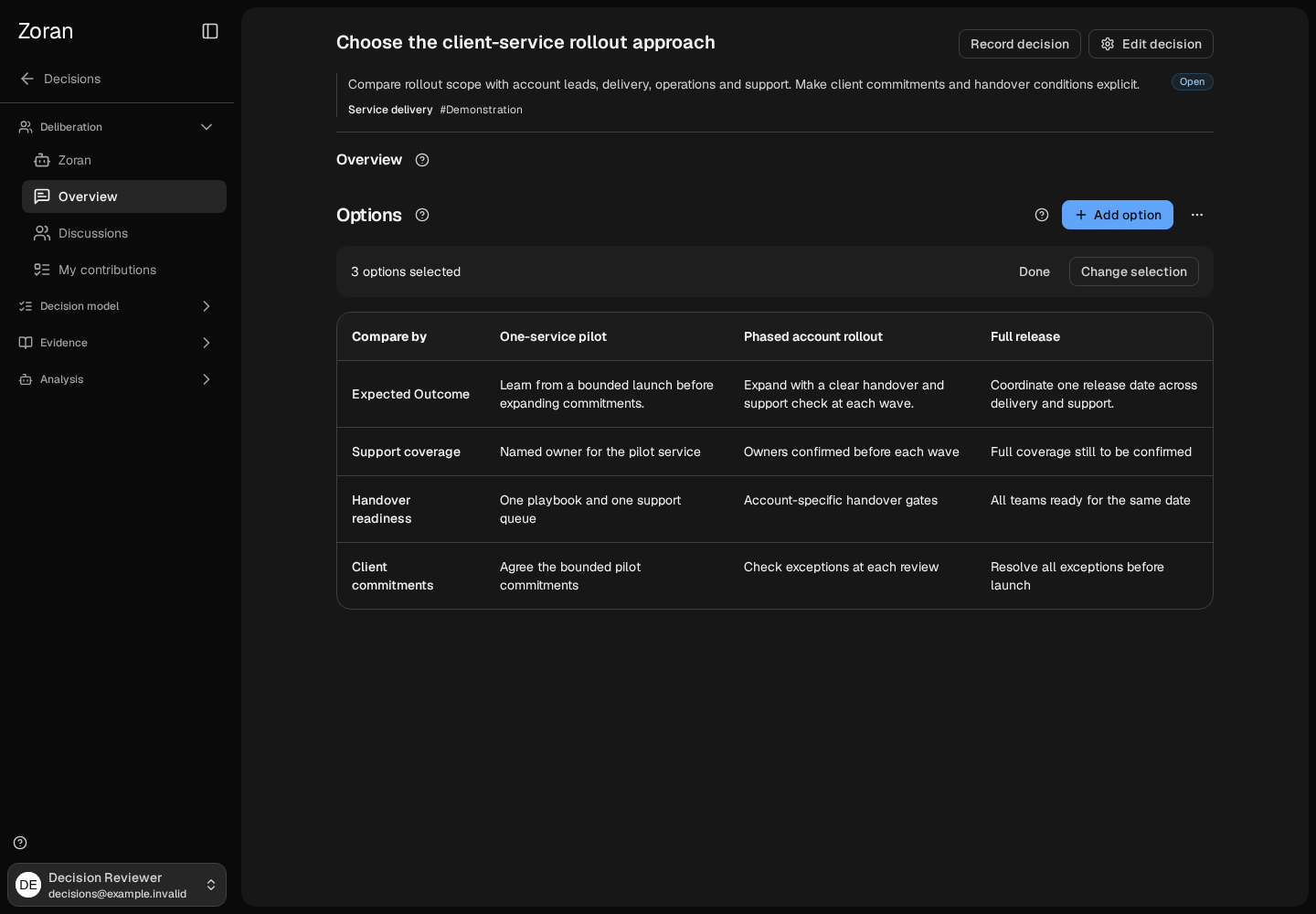
Compare options against the criteria that matter

Scroll to explore the interface
Make the choice understandable
Define objectives and assumptions. Compare options against criteria, constraints, evidence and potential impacts, with contributions and discussion alongside the decision model.
See what people can contribute
Set out resource needs and gather offers of time or funding. Compare the support people offer with what each option needs. Payments and delivery happen outside Zoran.
Record the outcome. Return to the reasoning.
Keep the decision and its reasons available. Use Outcome review to record observations, revisit assumptions and capture lessons and next actions as circumstances change.
Who it’s for
A shared purpose deserves powerful tools.
Put shared knowledge, participation and deliberation to work where they matter to your group.
Community networks
Compare regional priorities, consult partners and coordinate support for shared initiatives.
Cooperatives & associations
Involve members in proposals, consider different interests and make the reasons for decisions accessible.
Nonprofits
Keep program knowledge available to staff and volunteers. Draw on practical experience when planning the next step.
Business teams
Bring delivery experience, client context and evidence into project choices. Retain what the team learns.
Put Zoran to work
Start with your team. Build around your work.
Tell us about your people, knowledge and decisions. We’ll agree the scope, setup and goals of a pilot with you before it begins.
Discounted pilots for nonprofits, small community groups and governments.